Run every screen in your estate from one place.
Lumina is a cloud CMS, a drag-and-drop layout editor and dependable players for commercial displays. Build content once, publish it to one screen or every site you run, and see at a glance which screens need attention.
Android players
Keeps playing when the network drops
Signed, staged over-the-air updates
Cloud or on-premise
Sites with maps and local time zones
Build it, publish it, keep it running.
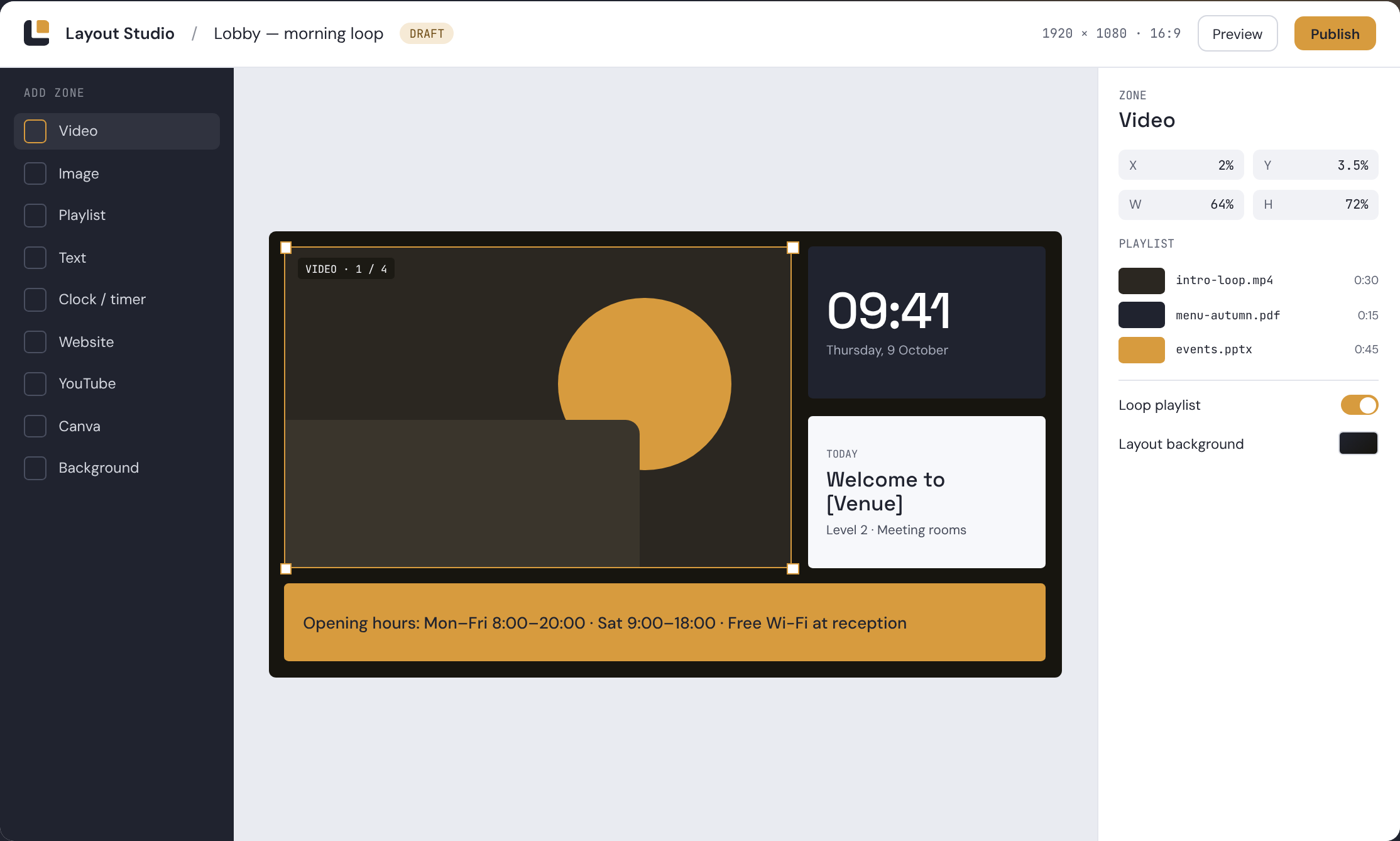
Design layouts the way the screen will show them.
Draw zones on the canvas and fill each one with video, images, playlists, text, a clock or timer, a live website, YouTube or a Canva design. What you arrange in the editor is what the screen plays.
- Drag-and-drop zones on a canvas
- Playlists inside any zone
- YouTube, Canva and website embeds
- Solid and gradient backgrounds
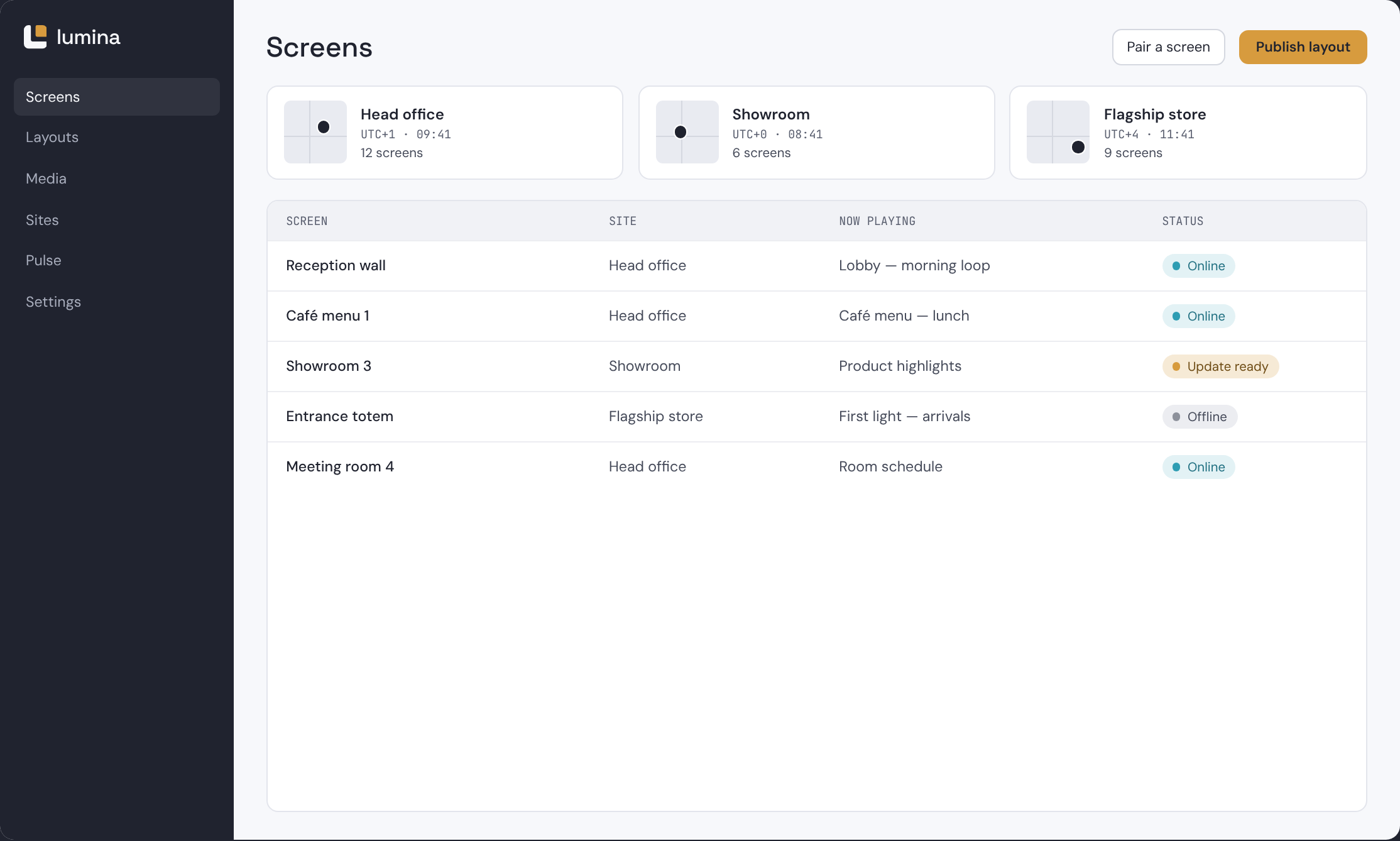
Publish to one screen, one site, or all of them.
Group screens into sites, each with its place on the map and its own time zone, so a schedule that starts at 9:00 starts at 9:00 locally. Pair a new screen with a short code, assign a layout and publish.
- Sites with maps and time zones
- Pair a screen with a short code
- Publish to a screen, a site or all sites
- See which layout each screen is set to
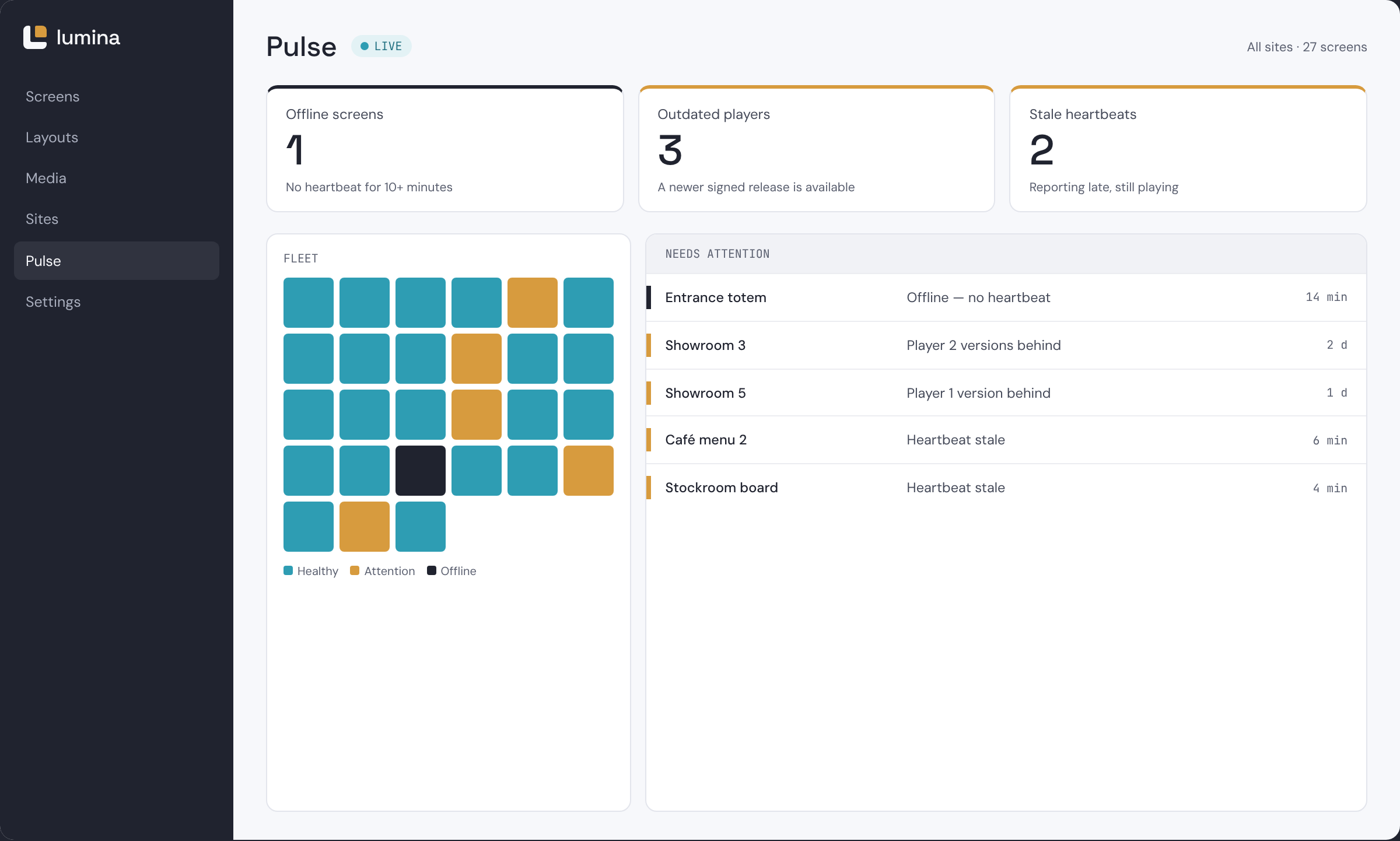
Know which screens need attention before anyone calls.
Pulse watches every player’s heartbeat and flags what needs action: screens that have gone offline, players running an outdated version, and heartbeats that have gone stale.
- Offline screens flagged
- Outdated players listed
- Stale heartbeats caught early
- Diagnostics for each screen
Built for screens nobody is watching.
Signage runs unattended in lobbies, shops and corridors, often on networks you don’t control. Lumina players are built to keep going on their own and to update without drama.
Keeps playing offline
Players store layouts and media locally. If the network drops, playback continues from cache, and the player catches up when the connection returns.
Signed, staged updates
Player updates arrive over the air as signed releases, and roll out in stages: a small group of screens first, the rest once the release has proven itself.
Secure device credentials
A screen joins your account by entering a short pairing code, then authenticates with its own device credentials. No shared passwords typed into displays.
Hosted by us, or on your own servers.
Both editions include the same Layout Studio, media library, Pulse and players. The difference is where Lumina runs and who looks after it.
We run it for you
Sign in, pair your first screen and start publishing. We host the CMS, apply updates and keep it running.
- Hosted and maintained by us
- CMS updates applied for you
- Hosted in the EU
- The quickest way to get started
You run it in your network
Install Lumina on your own servers when your policies require content and device data to stay inside your infrastructure.
- Runs on servers you control
- Content and device data stay in your network
- Your IT decides when to update
- Same Studio, Pulse and players
Android today. More platforms on the way.
- Available now
Android
Pairing by code, offline cache, signed OTA updates.
- Coming
Linux
Player for Linux-based media players.
- Coming
webOS
Native player for LG commercial displays.
- Coming
Tizen
Native player for Samsung commercial displays.
- Coming
Multi-output
Video walls and multi-screen outputs.
See Lumina running on your own screens.
Tell us how many screens you run and where. We’ll walk you through Layout Studio, publishing and Pulse with your setup in mind.